
Understanding Your Transcripts
Understanding Your Unofficial Transcript
Learn how to read your transcript, check your progress, and plan your next steps.
What You Can Use Your Transcript For
- Check your current program and major.
- Review degrees or certificates already awarded.
- Confirm transfer credit has been received and evaluated.
- Review courses completed at WNMU.
- Check grades, credit hours, academic standing, and GPA.
How to Access Your Unofficial Transcript
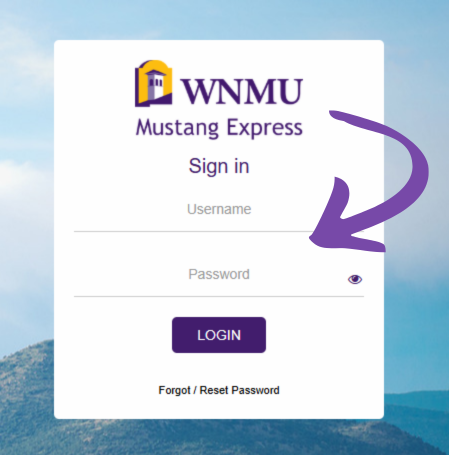
Step 1: Log in to Mustang Express
Go to Mustang Express and sign in using your WNMU credentials.
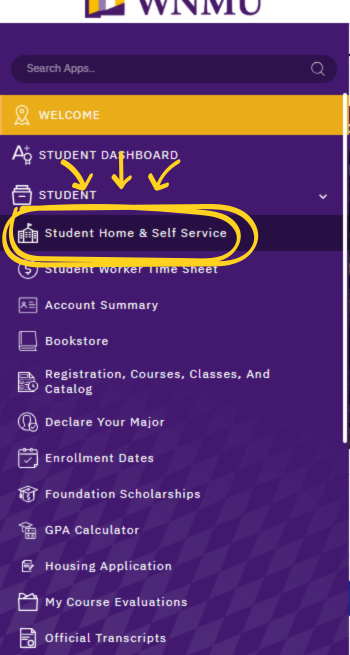
Step 2: Open the Student Menu
Select Student Home & Self Service.
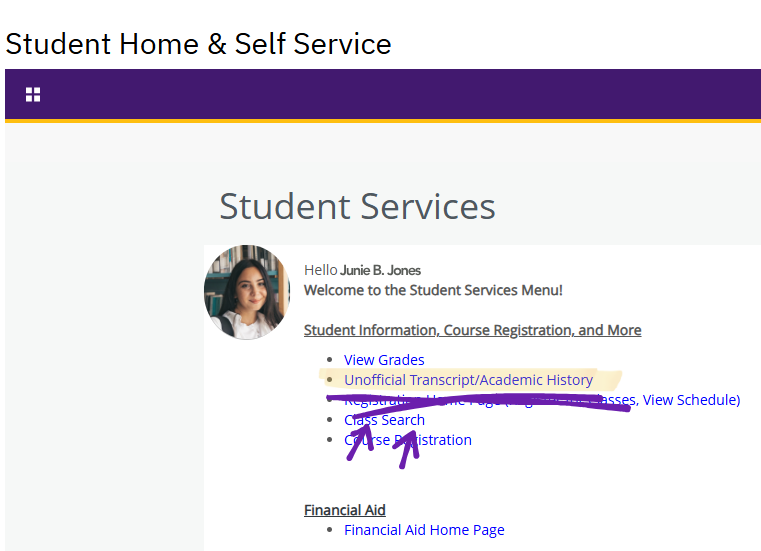
Step 3: Select Transcript Option
Select Unofficial Transcript / Academic History.
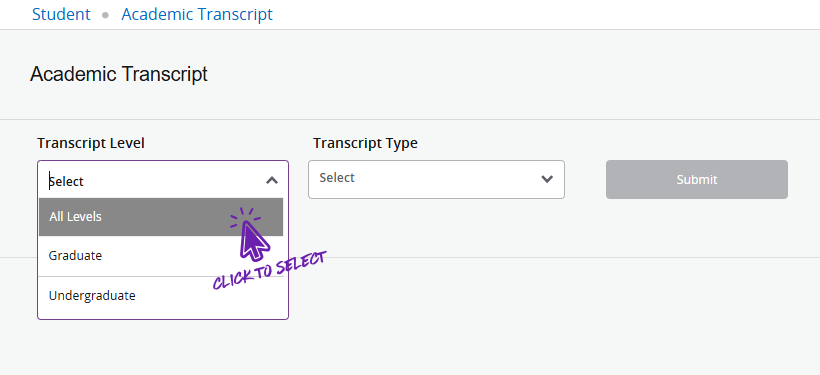
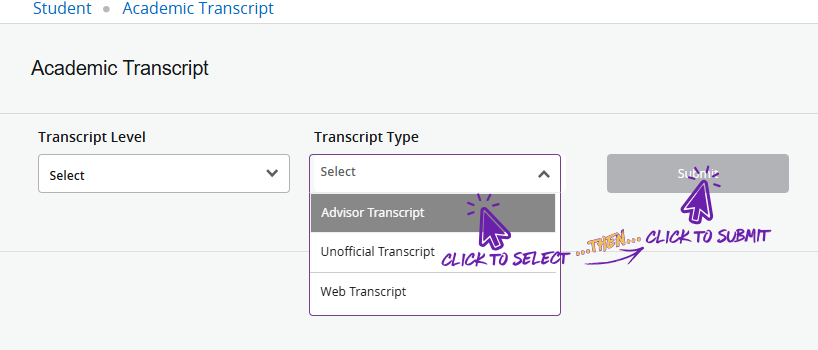
Step 4: Choose Transcript Level
Select All Levels for the most complete view.
Step 5: Choose Transcript Type and Submit
Select Advisor Transcript and click Submit.
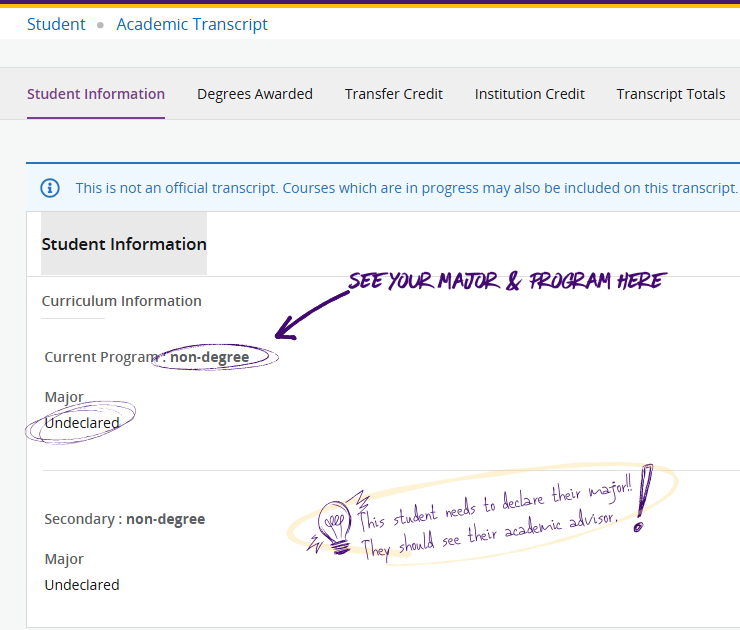
Student Information: Check Your Program and Major
This section shows your current program and major. Review this carefully to make sure it matches your educational goal.
If your major or program is incorrect: meet with your academic advisor or use Advising Self-Service to update your major.
Degrees Awarded
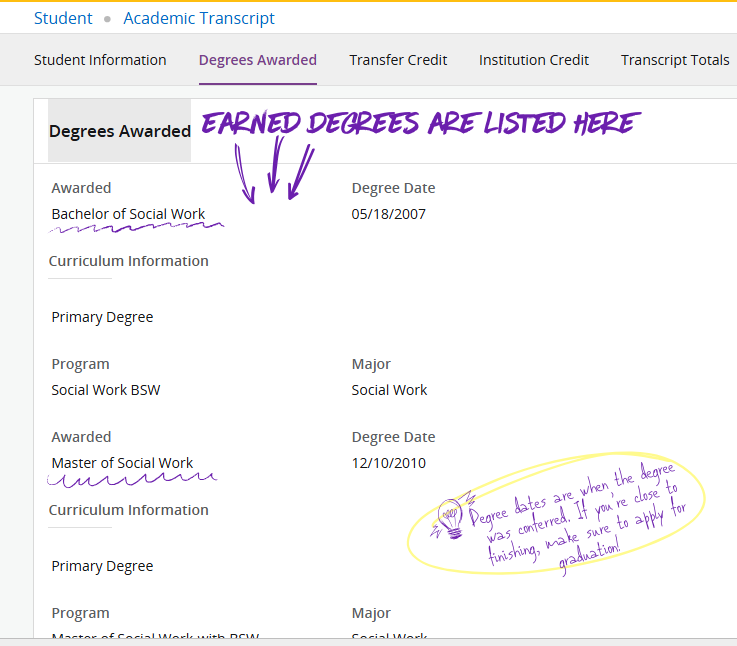
This section lists certificates or degrees that have already been officially awarded by WNMU.
Important: You must apply for graduation to have a degree or certificate awarded, even if you do not plan to attend commencement.
Transfer Credit
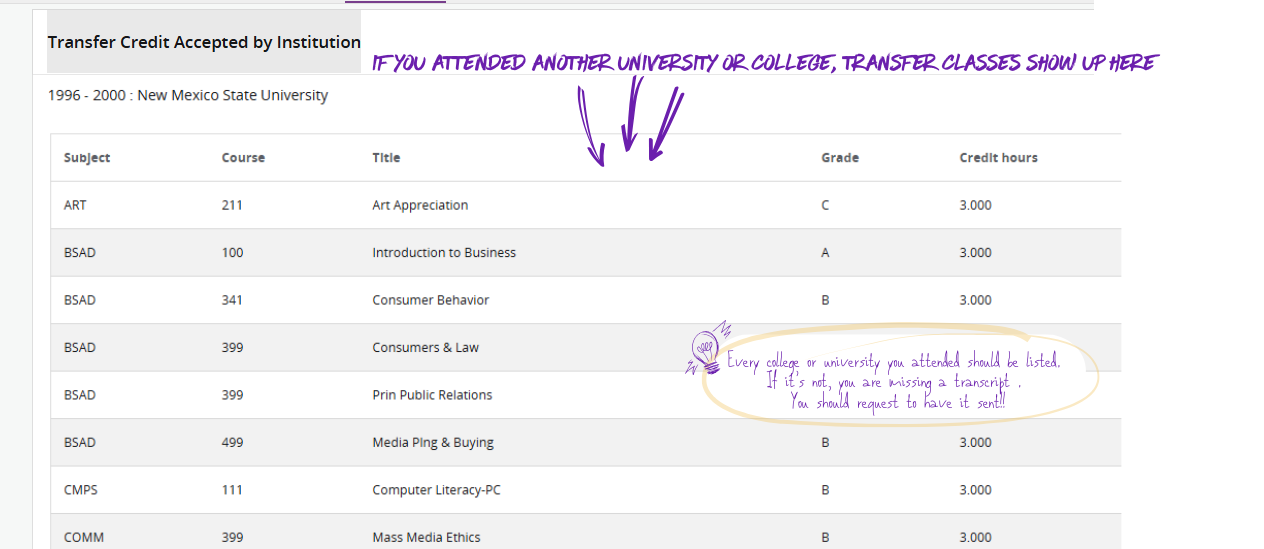
This section shows transfer courses that WNMU has received, evaluated, and accepted from other colleges or universities.
If courses are missing: WNMU may not have received your transcript. Contact the other institution and request that your official transcript be sent.
Courses Completed at WNMU
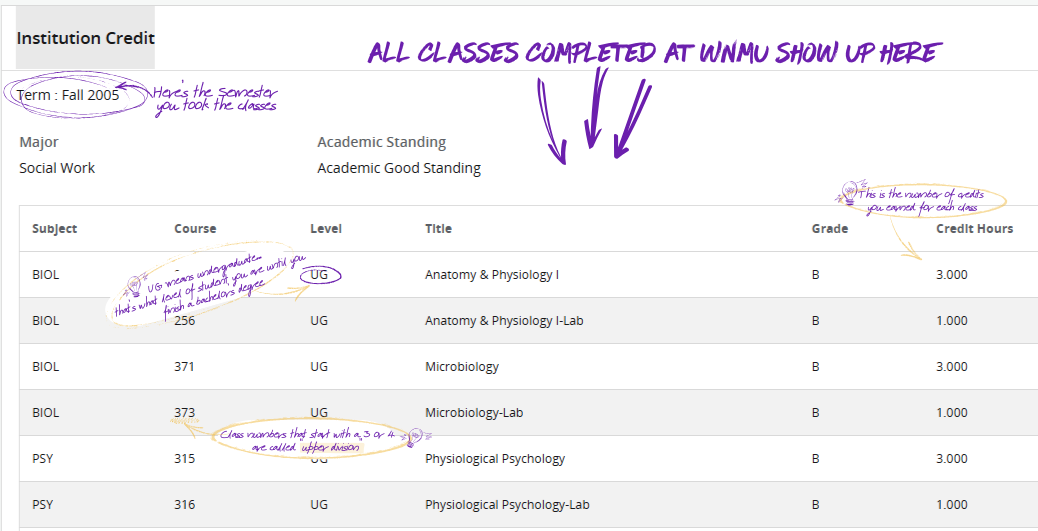
This section lists courses you completed at WNMU, including grades, credit hours, and academic standing.
- UG = undergraduate courses
- 300–400 level courses are upper-division
- Credit hours show how many credits you earned
Transcript Totals and GPA
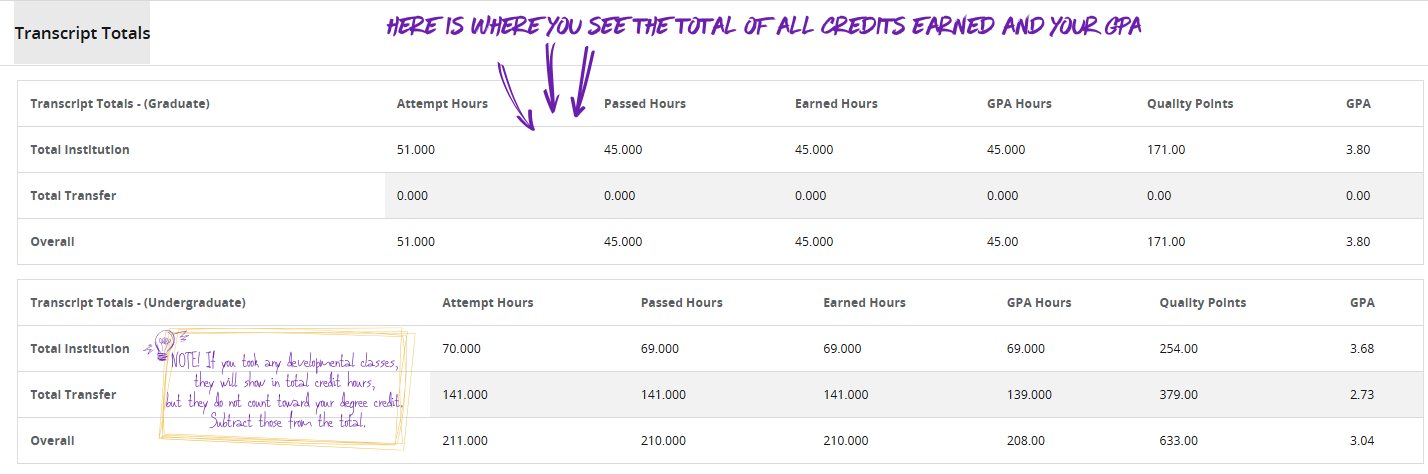
This section shows your total credit hours, passed hours, earned hours, and GPA.
- Attempted hours = courses you enrolled in
- Passed hours = courses you successfully completed
- Earned hours = credits applied to your record
- GPA = your grade point average
Important: Transfer GPA is not included in your overall GPA. Repeated courses count using the highest grade earned.
What to Do After Reviewing Your Transcript
- Meet with your advisor
- Confirm your major
- Send missing transcripts
- Apply for graduation if needed